

Key Takeaways
Why Paper Clutter Is Uniquely Stubborn
Unlike most household clutter, paper arrives uninvited and continuously. Mail, receipts, school notices, instruction manuals, and financial statements accumulate faster than most people process them - and because individual items seem small, the pile grows unnoticed until it becomes genuinely unmanageable. The anxiety this creates is real: research on clutter and mental load suggests that visual disorder competes for cognitive attention, even when we're not actively looking at it.
The other complication is stakes. Tossing a broken gadget is straightforward; deciding whether to keep a five-year-old insurance document feels uncertain. That uncertainty causes most people to keep everything, which defeats any attempt at organization. A framework that removes the guesswork makes the whole process workable.
If you're approaching this as part of a broader home reset, the room-by-room readiness checklist can help you sequence projects so paper doesn't get buried under other decluttering tasks.
What you will need
What You'll Need Before You Start
Paper management doesn't require expensive supplies, but having the right basics on hand before you begin prevents mid-session delays that kill momentum.
Cross-cut or micro-cut shredder
Securely destroys documents with personal or financial information before disposal.
Hanging file folders and a file box or drawer
Provides a physical home for active and reference documents organized by category.
Flatbed or portable document scanner
Creates digital backup copies of important papers for cloud or local storage.
Label maker or printed folder labels
Keeps file categories consistently named so documents are easy to retrieve later.
Fireproof box or safe-deposit box
Protects original legal and identity documents from fire, flood, or theft.
Once you have these in place, you're ready to work through the steps below. Households with children generating school paperwork may also find guidance in managing kids' schoolwork and household chaos useful alongside this process.
Step-by-Step: Building Your Document System
Follow these steps in order. The early steps - gathering and triaging - are the hardest because they require decisions, not just action. Work in a single focused session if your paper volume allows; if it's substantial, break after Step 2 and return to filing once the shredding and recycling are cleared.
Shred Before You Discard
Documents containing your name, address, Social Security number, account numbers, or medical information should never go directly into a recycling bin. Use a cross-cut shredder for anything with personal identifiers before disposal. Identity theft most commonly begins with discarded paperwork, so this step is not optional.
Gather every piece of paper into one place
Collect documents from every location in your home - kitchen counters, junk drawers, nightstands, desk piles, and any mystery bags or bins. Place everything on a single clear surface. Seeing the full scope at once, though it may feel daunting, is the only way to sort accurately and avoid duplicates. Don't edit anything yet; just gather.
Do a first-pass sort: keep, shred, or recycle
Work quickly through the pile and assign each item to one of three categories. Recycle obvious junk: store flyers, expired coupons, outdated catalogs, and anything with no personal information and no future use. Shred anything with personal identifiers that you no longer need. Keep everything that is still relevant, legally significant, or unreviewed. Do not pause to read every document in detail - this pass is about speed and triage.
Sort your "keep" pile into four categories
Divide your remaining papers into these four categories, which cover the vast majority of household document types:
- Active: Bills due soon, forms in progress, event tickets, items awaiting action
- Financial records: Bank and investment statements, tax returns and supporting documents, pay stubs, receipts for large purchases
- Legal and identity: Birth certificates, Social Security cards, passports, property deeds, insurance policies, wills
- Reference: Warranty cards, appliance manuals, medical records summaries, home repair receipts
Use a temporary label or sticky note to mark each group before filing so nothing migrates to the wrong folder.
Apply retention guidelines and discard the rest
Not every paper you kept actually needs a permanent home. General retention guidance for common document types:
- Tax returns and supporting documents: Commonly retained for at least 7 years; consult a tax professional for your specific situation
- Pay stubs: Until reconciled against your annual W-2, then discard
- Utility and credit card statements: 1 year, unless needed for taxes
- Bank statements: 1-3 years
- Receipts for major purchases or home improvements: For the life of the item or ownership of the home
- Insurance policies: While active, plus a brief period after expiration
Shred anything that falls outside these windows. Retention norms can vary by situation, so when in doubt about legal or tax documents, consult a qualified professional.
Set up your physical filing system
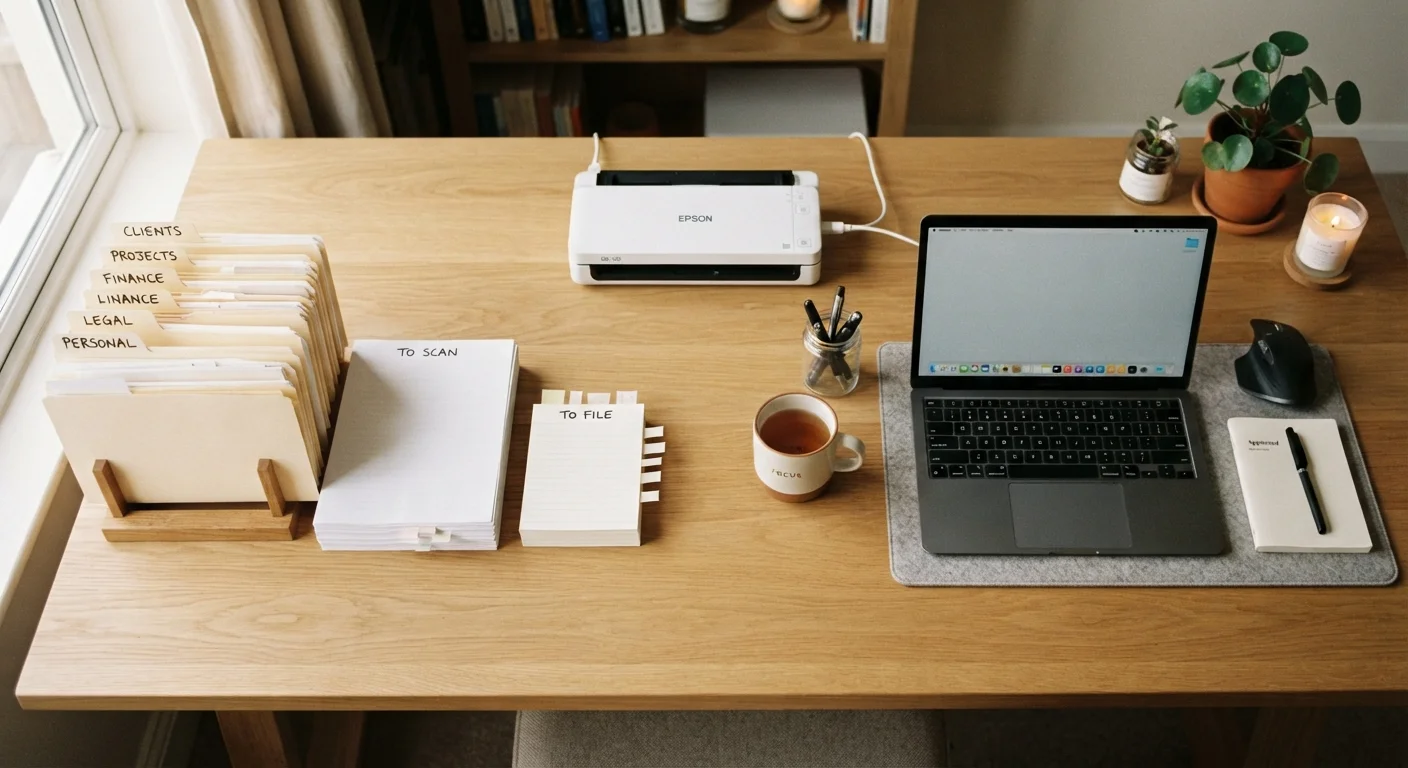
Use your four categories as top-level folders. Within each, create labeled sub-folders by year or topic - for example, "Taxes / 2023" or "Appliances / Refrigerator." Store Active papers in an easy-to-reach, visible spot such as a desktop tray. Keep Legal and identity originals in a fireproof box. File Financial and Reference folders in a drawer or box that's accessible but out of daily sight. Consistent labels are the difference between a system you use and one you abandon.
Digitize for backup, not replacement
Scan or photograph important documents - tax records, insurance policies, home repair receipts, and medical summaries - and store them in a cloud service with two-factor authentication enabled, or on an encrypted external drive kept off-site. Name files consistently: YYYY-MM-DD_document-type_provider.pdf makes retrieval straightforward years later. A digital copy provides peace of mind against fire, flood, or loss, but remember that physical originals still matter for certain legal documents.
Create a weekly maintenance habit
The system only works if new paper doesn't pile up again. Designate one spot - a tray, a basket, a specific counter - as your incoming paper inbox. Once a week, clear it: recycle junk, shred sensitive discards, and file what belongs in your system. Opt into paperless billing and statements wherever practical to reduce incoming volume at the source.
Set Up a Weekly Paper Inbox Habit
Place a single tray near your entryway or mail drop zone and commit to clearing it every week - even if that just means shredding junk mail and filing one statement. Ten minutes weekly prevents the kind of avalanche that takes an entire afternoon to sort. Consistency is more valuable than a perfect system.
Keeping the System Working Long-Term
The most common reason home filing systems fail is that they require consistent discipline to maintain while offering no immediate reward. Reducing incoming paper volume is the highest-leverage long-term fix: opt into digital statements from banks, utilities, and insurers; unsubscribe from physical catalogs; and decline printed receipts when the transaction is minor.
Build an annual review into your routine - perhaps each January or at tax time - to purge outdated documents from the previous year. This keeps your physical storage from gradually expanding back to its original state.
If your household involves multiple people with different approaches to tidiness and organization, navigating different organizational standards at home offers practical strategies for building shared systems that actually stick. And if you find that paper is just one symptom of a broader pattern of accumulation, understanding why clutter keeps returning can help you address the habits behind it.
Don't Digitize and Immediately Discard Originals
Some documents - including original birth certificates, Social Security cards, property deeds, wills, and certain legal agreements - carry weight as physical originals. A scan is a useful backup, but it may not substitute for the original in legal or institutional contexts. Store these in a fireproof box or safe-deposit box rather than relying on a digital copy alone.